
Smart-Grid
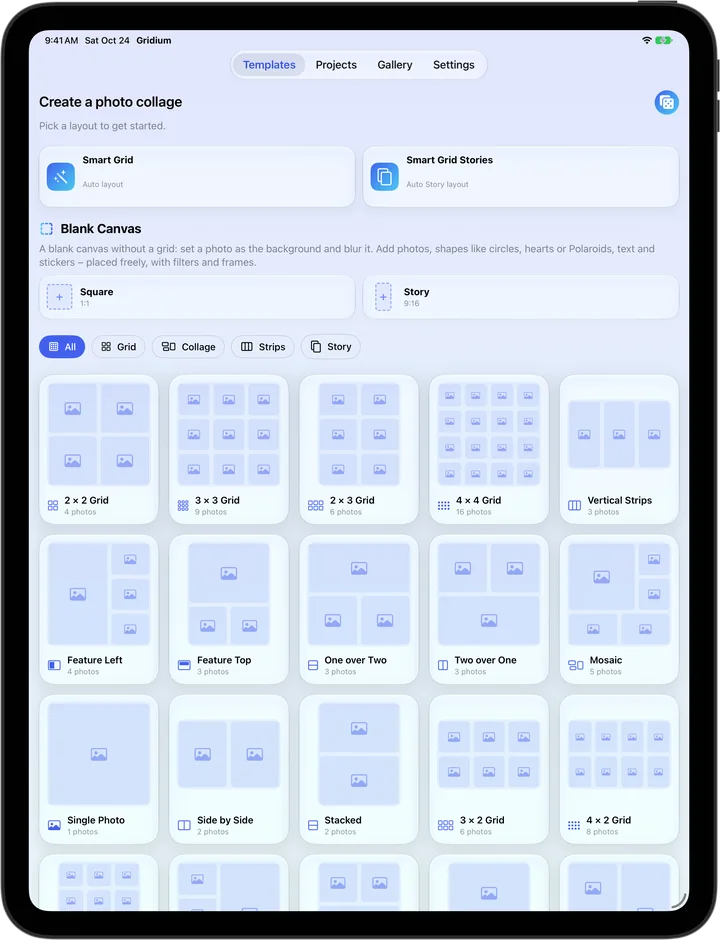
Just pick your photos – Gridium finds the right template for how many you chose. With its own story variant, or roll the dice for a surprise.
Gridium turns your photos into a collage in seconds – with 43 templates or freestyle on the new blank canvas. For iPhone, iPhone Duo and iPad.
New in 1.4
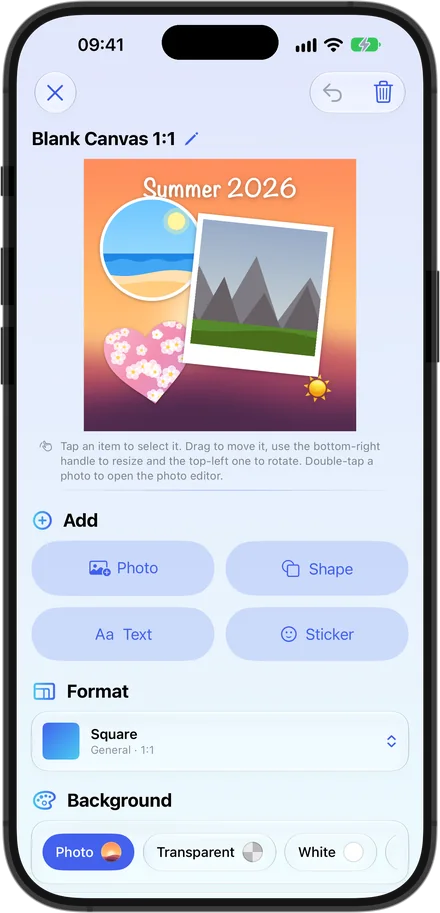
The blank canvas is an empty square or 9:16 story canvas. Add a photo as the background, put photos into shapes like a circle, heart or Polaroid, and place text and stickers wherever you like.
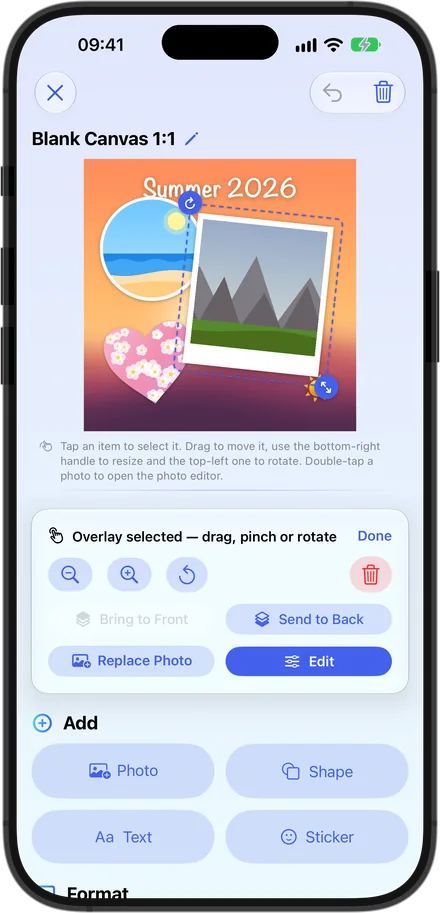
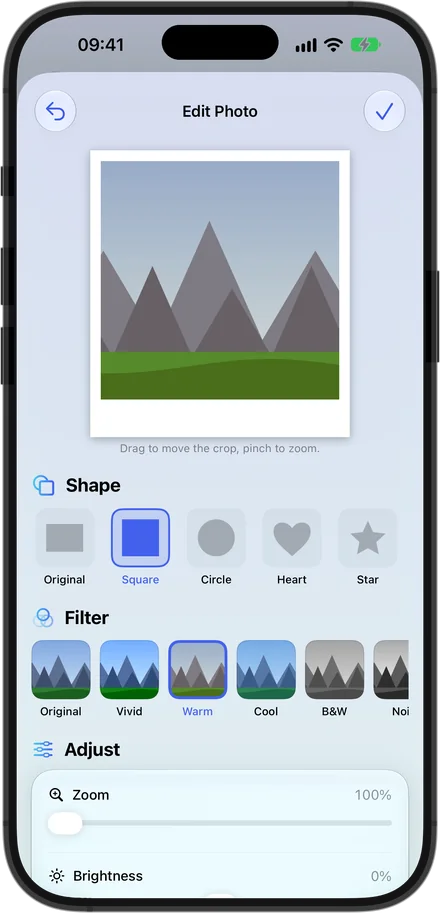
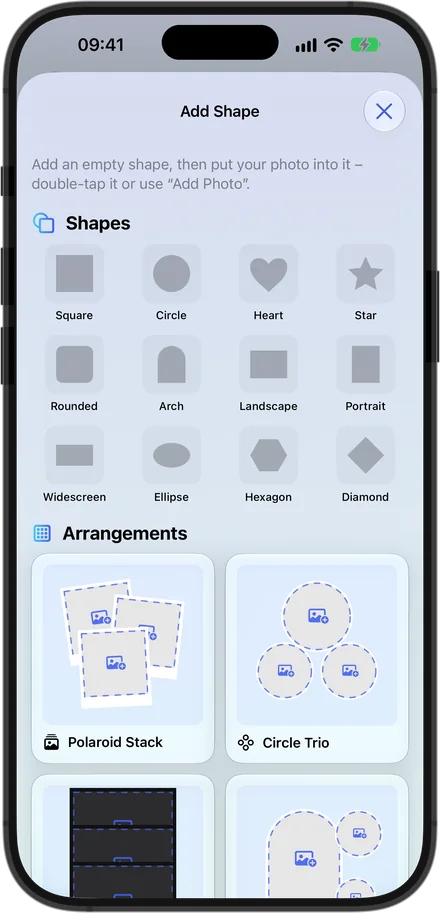
Square, circle, heart, star, arch, hexagon, diamond and more – insert, add a photo, done.
Polaroid stack, circle trio, film strip, focus and heart duo – in a single tap.
Original, vivid, warm, cool, B&W, noir, sepia, faded and dramatic – with live thumbnails.
Brightness, contrast, saturation and opacity, all continuous. Preview and export look the same.
Frames in any color – even, following the shape, or Polaroid-style with a wide bottom edge.
Your own photo fills the canvas and blurs smoothly – behind any template, too.
Coming in version 1.4.1
Closed, open or half-folded: Gridium follows the fold – nothing important disappears into the crease.
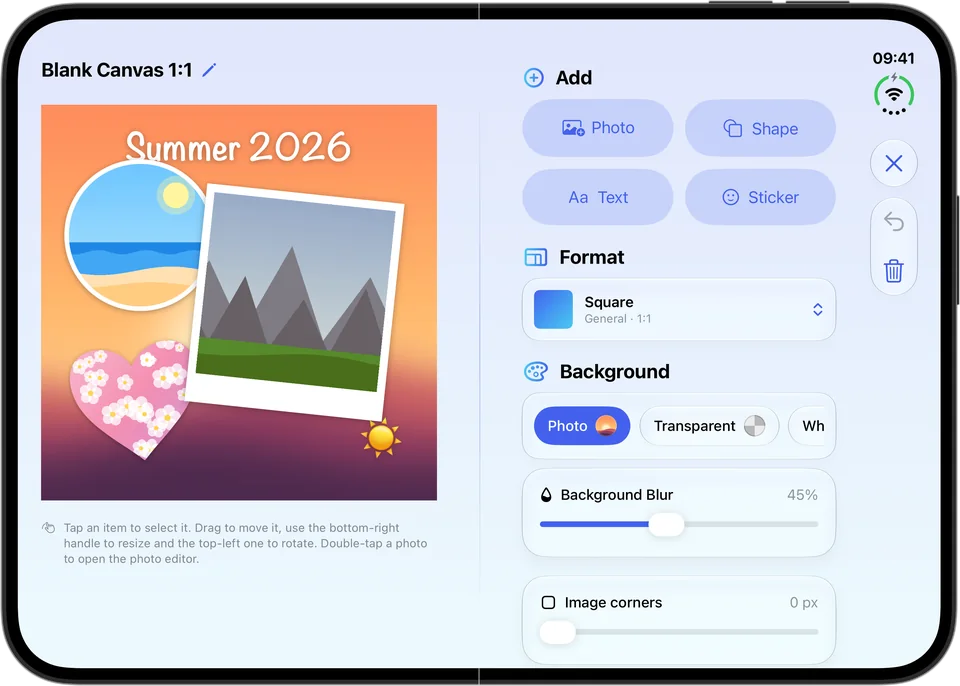
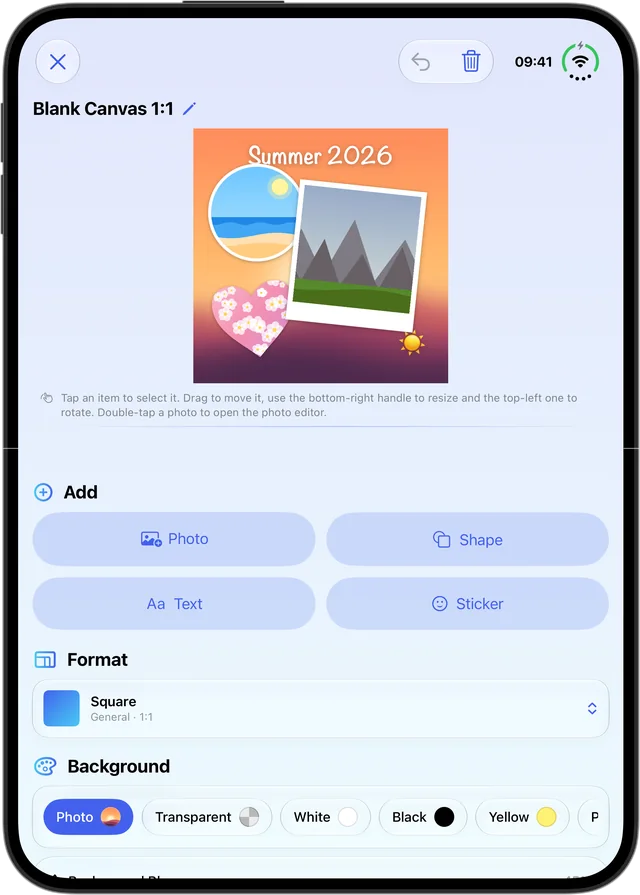
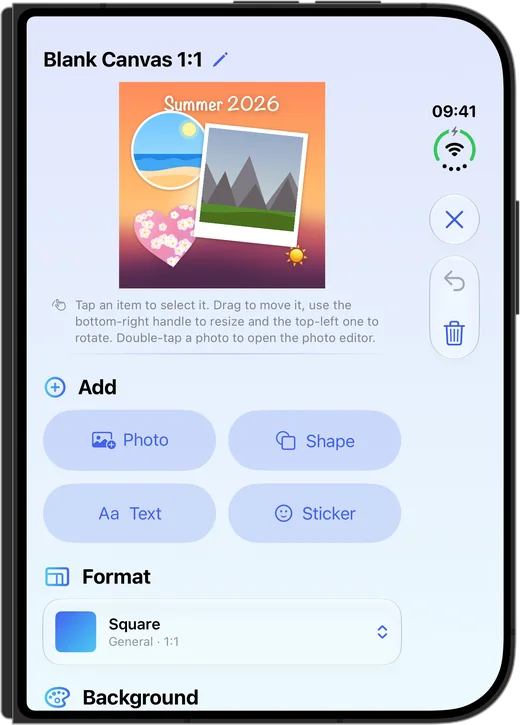
Open like a book: your collage sits left of the fold, the tools to the right. Templates, gallery and settings split exactly in the middle. Half-folded and standing up: your collage fills the top half and the tools sit below – where the device rests steadily on the table. Closed: everything fits the outer display, with navigation and tools neatly at the side.
The template overview uses an even number of columns, and cards and columns end right at the fold – no photo and no text sits in the crease.
Gridium already splits at the fold when the device lies flat. When you fold it, everything stays where it is.
Just as Apple intends: navigation and tools sit along the edge, with Back or Close always at the top.
43 templates
From the classic 2 × 2 to bento, magazine and photo dump, plus ten 9:16 story layouts. Smart Grid picks the right template for the number of photos you choose.
2 × 2 Grid
4 photos
3 × 3 Grid
9 photos
2 × 3 Grid
6 photos
4 × 4 Grid
16 photos
Vertical Strips
3 photos
Horizontal Strips
3 photos
Feature Left
4 photos
Feature Top
3 photos
One over Two
3 photos
Two over One
3 photos
Mosaic
5 photos
Single Photo
1 photo
Side by Side
2 photos
Stacked
2 photos
3 × 2 Grid
6 photos
4 × 2 Grid
8 photos
3 × 4 Grid
12 photos
Feature Right
4 photos
Feature Bottom
3 photos
Big Top + Three
4 photos
Two Left, One Right
3 photos
Half + Grid
5 photos
Bento 6
6 photos
Magazine
6 photos
Before / After
2 photos
Before / After + Details
4 photos
Photo Dump
7 photos
Bento 7
7 photos
Outfit of the Day
7 photos
Recipe
7 photos
Moodboard
6 photos
Travel Panorama
5 photos
Triptych
5 photos
Cinema
7 photos
Story Duo
2 photos
Story Duo 50/50
2 photos
Story Grid 2 × 3
6 photos
Story Feature Top
3 photos
Story Feature Bottom
3 photos
Story Mosaic
5 photos
Story Grid 2 × 4
8 photos
Story Photo Booth
4 photos
Story Sandwich
5 photos
Features
Just pick your photos – Gridium finds the right template for how many you chose. With its own story variant, or roll the dice for a surprise.
8 fonts, any color and an optional colored background – with an eyedropper right from your collage. Plus emoji and symbol stickers; rotation snaps at 0°, 90°, 180° and 270°.
Square, portrait, landscape, story and panorama, sizes for Instagram, Facebook and TikTok – plus A3 to A6 for printing.
JPEG, PNG, HEIF or PDF – in high resolution to your photo library, to the Files app or straight to any app.
The app in your look – with true black in Dark Mode for OLED displays.
Zoom, move, replace or reset every photo. Swap tiles with drag and drop.
Collages in progress are saved automatically – continue, rename, pin or duplicate them. Share them as .gridium files via AirDrop or iCloud Drive.
Transparent, white, black, gradient, any color or a photo as the background. Spacing, corners, outer margin and frames are all continuous.
English, German, French, Italian, Spanish, Portuguese, Polish and Dutch.
Screenshots
Privacy
Gridium processes everything on your device. We never see your photos.
Open it and start – no sign-up, no email address.
Photos and projects stay on your device. Gridium only gets the photos you pick.
No analytics SDKs in the app, and no cookies on this website.
No subscription and no ads – just your collages.
All the details are in the privacy policy.

Gridium is free – for iPhone and iPhone Duo with iOS 26 and iPad with iPadOS 26 or later.

No subscription · No ads · No account